english


PDF Prospekte:


Händler finden

Literatur & Bookmarks


COPRA® MetalBender Demo Beispiele  

Gerne senden stellen wir Ihnen eine (zeitlich befristete) Demoversion unserer COPRA® MetalBender Softwareprogramme für einen ausführlichen Test zur Verfügung. Senden Sie uns dazu einfach eine e-Mail (Adresse am Ende der Seite), rufen Sie uns an oder wenden Sie sich an einen unserer Vertriebspartner.
downloads...

Inhaltsverzeichnis:
CMB = COPRA® MetalBender
TD-i  =  Transitions and Ducting for Inventor

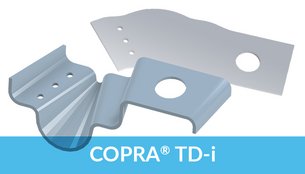
Klicken Sie auf den entsprechenden "show me" Button und folgen Sie den Animationen ausgewählter Funktionen des COPRA® MetalBender TD-i (Transitions and Ducting für Inventor). Die CMB TD-i Demo zeigen bis auf weiteres eine englische Version der Software, die selbstverständlich natürlich auch in deutsch verfügbar ist.
              

COPRA® MetalBender TD-i
(Transitions and Ducting for Inventor)
Sheet Metal Lofting 

arrowb-small.gif (981 Byte) Shows an example of sheet metal lofting in Inventor. This is one of the enhancements data M is offering to Autodesk's already built-in sheet metal functionality in Inventor (licensed from data M, by the way)
Bluesmal.gif (873 Byte) Designing two geometry contour lines
Bluesmal.gif (873 Byte) Starting function sheet metal lofting
Bluesmal.gif (873 Byte) Selecting 1st and 2nd contour

Bluesmal.gif (873 Byte) (In this example you'll see two closed profiles; there is a gap shown which defines where the profile is divided)
Bluesmal.gif (873 Byte) After having selected respective geometrical elements...
Bluesmal.gif (873 Byte) The 3D model will be generated
Bluesmal.gif (873 Byte) There are different model types available:
3D Lofting Model
Lofting Contour
3D Extrusion Model
Extrusion Contour
Bluesmal.gif (873 Byte) After selecting the toggle "finish" respective 3D model is being generated
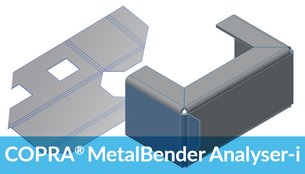
Bluesmal.gif (873 Byte) You can see that these kind of model shows 'sharp' bending corners which can be unfolded by using data M's 'unfolding analyizer' which is able to handle these geometries (can be ordered as an enhancement to Autodesk's built-in unfolder)

Shows an example of sheet metal lofting in Inventor
NEW: AVI file (0,9 MB)
-> Sheet  Metal Lofting

Shows an example of sheet metal lofting in Inventor
animated GIF (1,1 MB)

COPRA® MetalBender TD-i
(Transitions and Ducting for Inventor)
Sheet Metal parts Library

arrowb-small.gif (981 Byte) The TD·i Library consists of standard parts as used in HVAC applications.
All sheet metal parts are precisely calculated on a parametric basis as are the intersections of more than one sheet metal part. You can select the parts from a clearly designed catalogue. The parameters offered are shown in sketches making classification very easy.
Previewing parameters can be switched on or off. The designer is able to work within the design context. COPRA® MetalBender TD·i has the following characteristics:
Bluesmal.gif (873 Byte) Automatic creation of sheet metal parts
Bluesmal.gif (873 Byte) All designed parts are fully parametric
Bluesmal.gif (873 Byte) Automatic creation of the corresponding assembly
Bluesmal.gif (873 Byte) Flat pattern calculation for each individual part
Bluesmal.gif (873 Byte) All parameters of the flat pattern calculation for each individual part are pre-set.
For example, all kinds of combinations of intersections concerning cylindrical parts and conii can be created with the standard transition command. The TD·i Library is ready to use from the very first minute due to its easy handling, correct parameter settings, automatic creation of sheet metal parts and pre-set calculation parameters. All this results in a very short amortisation period.
The following parts are available:
Bluesmal.gif (873 Byte) Segment elbow
Bluesmal.gif (873 Byte) Transition with offset
Bluesmal.gif (873 Byte) Cylindrical pipe with rectangular branch
Bluesmal.gif (873 Byte) Dished boiler end with horizontal branch pipe
Bluesmal.gif (873 Byte) Ventilator cowl
Bluesmal.gif (873 Byte) Conus with cylinder
Bluesmal.gif (873 Byte) Pyramid with cylinder
Bluesmal.gif (873 Byte) Pipe branch with cone
Bluesmal.gif (873 Byte) Pipes
Bluesmal.gif (873 Byte) Dished boiler end with circular base
Bluesmal.gif (873 Byte) Pipe with oval branch
Bluesmal.gif (873 Byte) Transition

  Transitions and Ducting for Inventor
NEW: AVI file (1,05 MB)
-> Transitions

Transitions and Ducting for Inventor
animated GIF (1,5 MB)

Shows an example of sheet metal lofting in Inventor
NEW: AVI file (1,2 MB)
-> TD-i Library

top


Klicken Sie auf den entsprechenden "show me" Button und folgen Sie den Animationen ausgewählter Funktionen des COPRA® MetalBender Desktop.
Gerne senden stellen wir Ihnen eine (zeitlich befristete) Demoversion unserer CMB Softwareprogramme für einen ausführlichen Test zur Verfügung. Senden Sie uns dazu einfach eine E-Mail (Adresse am Ende der Seite), rufen Sie uns an oder wenden Sie sich an einen unserer Vertriebspartner.

COPRA® MetalBender / Mechanical Desktop
Vollständige Konstruktion eines Blechteils

arrowb-small.gif (981 Byte) Starten Sie COPRA® MetalBender und entwickeln Sie ein Blechteil 
Bluesmal.gif (873 Byte) Rechteckstanzung
Bluesmal.gif (873 Byte) Lasche anbringen
Bluesmal.gif (873 Byte)
Bohrung setzen
Bluesmal.gif (873 Byte) Lasche anfasen


animated GIF (1,1 MB)


AVI file (26 MB)

COPRA® MetalBender / Mechanical Desktop
Abwicklung des Blechteils


NEU: AVI file (0,45 MB) -> CMB Solver

Bluesmal.gif (873 Byte) Abwicklungsdialogbox starten
Bluesmal.gif (873 Byte) Berechnungsart, Glätten, Parameter, Layout, ... einstellen
Bluesmal.gif (873 Byte)
Abwicklung positionieren


animated GIF (0,8 MB)


AVI file (15 MB)

COPRA® MetalBender / Mechanical Desktop
Interface Export
Cybelec, DXF, Tops, Exapt

arrowb-small.gif (981 Byte) Erstellte Abwicklung im Cybelec Format aus COPRA® MetalBender exportieren
Bluesmal.gif (873 Byte) Abwicklung auswählen
Bluesmal.gif (873 Byte) die Abwicklung wird im Cybelec-Format exportiert
Bluesmal.gif (873 Byte) Cybelec Datei per Datenträger oder Netzwerk weitergeben
Bluesmal.gif (873 Byte) exportierte Abwicklung in Cybelec-Steuerung einlesen


animated GIF (0,1 MB)


AVI file (5,9 MB)


COPRA® MetalBender / Mechanical Desktop
Import
Cybelec Interface 

arrowb-small.gif (981 Byte) Erstellte Schnittstellendatei in Cybelec importieren
Bluesmal.gif (873 Byte) Cybelec Datei per Datenträger oder Netzwerk verfügbar machen
Bluesmal.gif (873 Byte) Abwicklung in Cybelec-Steuerung einlesen


animated GIF (0,1 MB)


AVI file (3,1 MB)

top

Die folgenden Beispiele stammen aus einer früheren Version von COPRA® MetalBender und spiegeln nicht den aktuellen Stand wieder. Außerdem kann eine automatisch ablaufende Präsentation keine Programmvorführung ersetzen.
Gerne senden stellen wir Ihnen eine (zeitlich befristete) Demoversion unserer CMB Softwareprogramme für einen ausführlichen Test zur Verfügung. Senden Sie uns dazu einfach eine E-Mail (Adresse am Ende der Seite), rufen Sie uns an oder wenden Sie sich an einen unserer Vertriebspartner.

Base geometry 

arrowb-small.gif (981 Byte) Start COPRA® MetalBender and create a basic sheet geometry with cutouts
Bluesmal.gif (873 Byte) Globally define sheet thickness, inner radius and cutting default values
Bluesmal.gif (873 Byte) Create of basic sheet geometry
Bluesmal.gif (873 Byte) Rectangular cutout, type and dimension can ce defined in a dialog box

cadman10.jpg (2935 Byte)

Rounded flange

arrowb-small.gif (981 Byte) Design rounded flange
Bluesmal.gif (873 Byte) 3 different positions of flange:
outside, inside and join.
Bluesmal.gif (873 Byte) Different methodes for the definition of the flange dimensions can be enter through dialogboxes, taken into account the distances and the cutting free if necessary

cadman10.jpg (2935 Byte)

Design Z flange

arrowb-small.gif (981 Byte) Design Z flange
Bluesmal.gif (873 Byte) Different definition types of z flanges can be chosen. Sizes and dimensions can be easily defined through dialog boxes

COPRA MetalBender Desktop

cadman10.jpg (2935 Byte)


Profile flange

arrowb-small.gif (981 Byte) Design Profile flange
Bluesmal.gif (873 Byte) Design Profile flange
you can add AutoCAD Polyline as a flange to your base-geometry

cadman10.jpg (2935 Byte)

Close Corner

arrowb-small.gif (981 Byte) Close Corner
Bluesmal.gif (873 Byte) There are 3 different ways to close the Corner between 2 flanges

cadman10.jpg (2935 Byte)

Create Mitrecut

arrowb-small.gif (981 Byte) Close Mitre
Bluesmal.gif (873 Byte) There are 3 different ways to create a Mitre

cadman10.jpg (2935 Byte)

Punch

Bluesmal.gif (873 Byte) Cutout with userdefined tools, and cutouts for rectangular, oblong and bore holes


cadman10.jpg (2935 Byte)

Unfolding

Bluesmal.gif (873 Byte) With the unfolding setting menu you have the possibility to calculate the flatpattern with different methodes

COPRA MetalBender Desktop

cadman10.jpg (2935 Byte)

The complete Demo

Bluesmal.gif (873 Byte) Base geometry
Bluesmal.gif (873 Byte) Rounded flange
Bluesmal.gif (873 Byte) Design Z flange
Bluesmal.gif (873 Byte) Close Corner
Bluesmal.gif (873 Byte) Close Mitre
Bluesmal.gif (873 Byte) Punch
Bluesmal.gif (873 Byte) Design Profile flange
Bluesmal.gif (873 Byte) Unfolding

cadman10.jpg (2935 Byte)


      deutsch   english  | Internet Support |
data M sitemap | Kontakt data M
Diese Seite zu den Favoriten hinzufügen (Internet Explorer)

data M Software GmbH  .  Am Marschallfeld 17  .  D-83626 Valley/Oberlaindern, Germany

Tel.: +49 (0) 8024 640-0  .  Fax: -300

Internet: http://www.datam.de  .  e-mail: datam@datam.de
Copyright © 1987-2003 data M Software GmbH  .  Alle Rechte vorbehalten  .  Änderungen vorbehalten

   Impressum